Historical example · current compatibility unverified Original context: Blender 2.79 is visible in the screenshot; PME version was not stated; May 2018.
What it shows
emboo2 shared this while discussing larger toolbars like those in Maya or 3ds Max. An empty Blender window holds a Popup Dialog containing the Physics section of the Properties editor—about 42 labelled buttons in the screenshot.
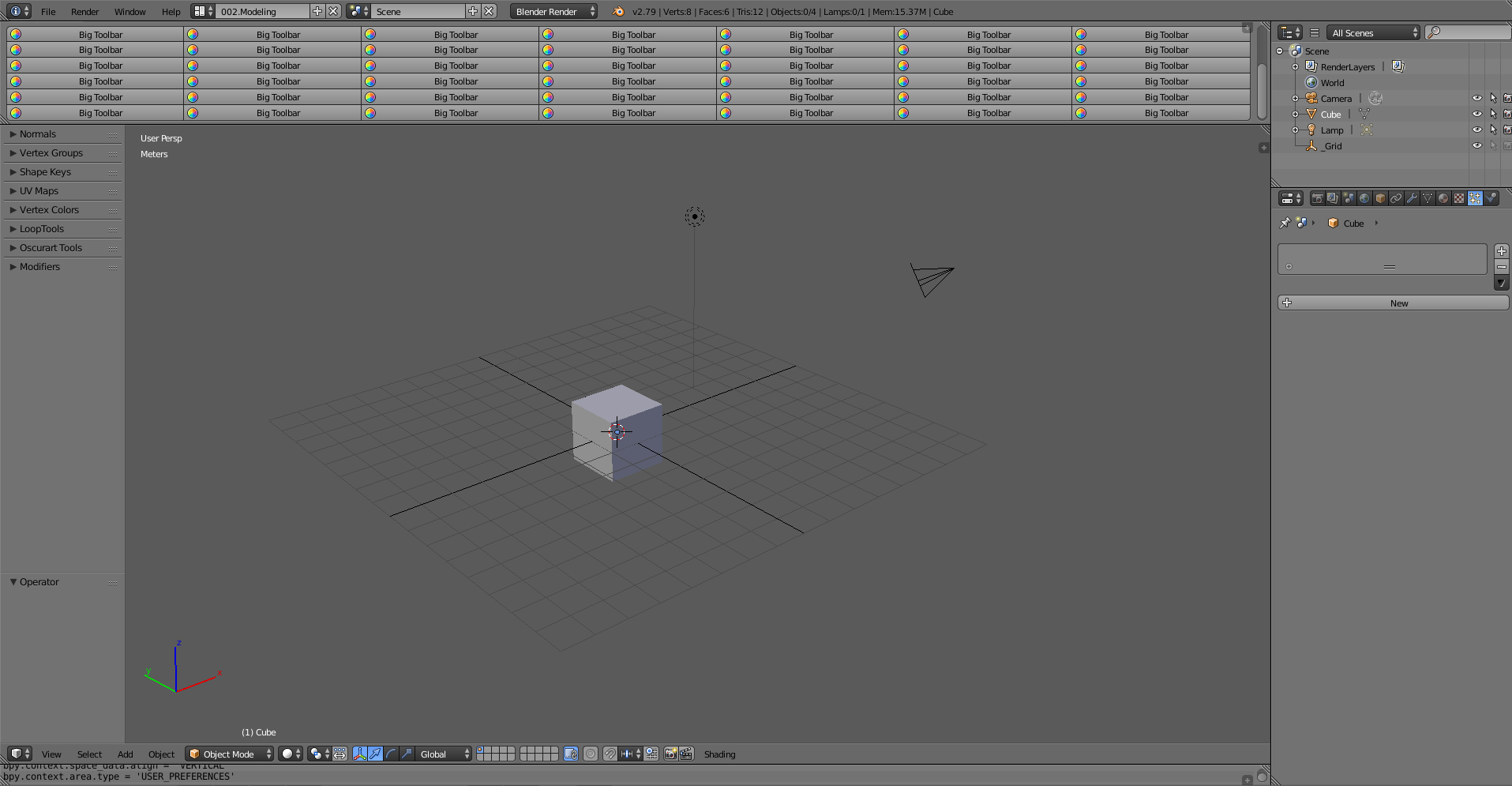
The empty window gives the panel room without permanently filling Blender’s standard header or sidebar. emboo2 described it as “tons of button space” and also suggested pairing the idea with MickHanks’s collapsible-window setup from the same thread.
Pattern to borrow
Use different menu types for different amounts of content:
- keep the Pie Menu for a small set of fast directional choices;
- use a Popup Dialog when labels, rows, or several related settings need room;
- use a persistent panel only when the controls must remain visible between actions.
Here, the large Physics section is the example. A personal version could use the same room for controls that benefit from visible labels and rows.
About the old files
The source provides a screenshot rather than the displayed Popup Dialog as a preset. Its separate snippet for opening PME Preferences uses Blender 2.79-era data and operators, so that snippet needs a new implementation for PME 2.1.