📋 Metadata
- Author: emboo2
- Date: 2018-05-24 21:59:23
- Type:
showcase - Reply to: post_01428
💬 Content
@ Roaoa : You’re welcome. And thank you again for making this awesome add on and updating it so diligently. 
If you’re interested, i also use an external script to open PME. Might be handy to have next to the Blender defaults button.
bpy.data.window_managers[“WinMan”].addon_search = “editor”
bpy.ops.wm.addon_expand(module=“pie_menu_editor”)
bpy.ops.pme.userpref_show(tab=“ADDONS”, addon=“pie_menu_editor”)

And, as a side note to anyone who might be interested in bigger toolbars like maya and max for example, you can use an empty window with a popup dialog to get tons of button space. In the example image below there’s like 42. ( and the text is not hidden )
In this example I used the physics section of the properties window.
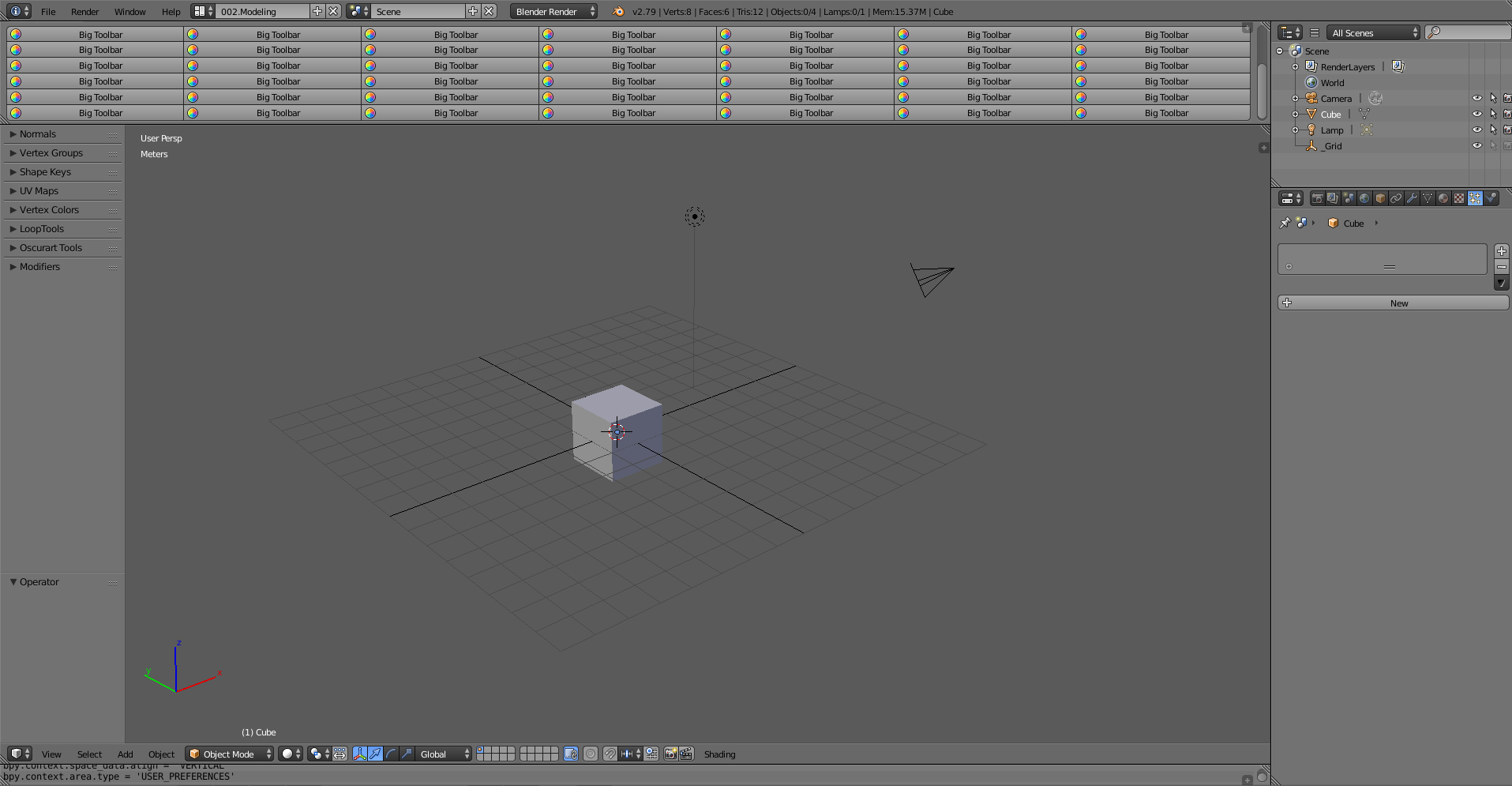 Big%20Toolbars1915×995 109 KB
If you combine this with Mick Hanks’ collapsible window functionally, could be pretty useful.
❤️ 1 likes