📋 Metadata
- Author: paololazatin
- Date: 2024-10-25 03:52:56
- Type:
showcase
💬 Content
Hello, just sharing this tip since I remember seeing someone asking about this awhile back and I just now figured it out.
If you want a popup of PME preferences, there is the Popup Addon Preferences via PME, and you can pick Pie Menu Editor. However, I’ve always found it to be too small, and since it isn’t resizable, I end up digging in the User Preferences > Addons > PME. And that’s several extra clicks that add up over time.
non-resizable Popup Addon Preferences
 image1654×586 144 KB
As an alternative, you can popup the addon like so:
bpy.ops.preferences.addon_show(module=‘pie_menu_editor’)
 image1672×580 50.1 KB
And it pops up the User Preferences Menu, but with Addons, and Pie Menu Editor preferences already selected. No more extra clicks, and you can resize it.
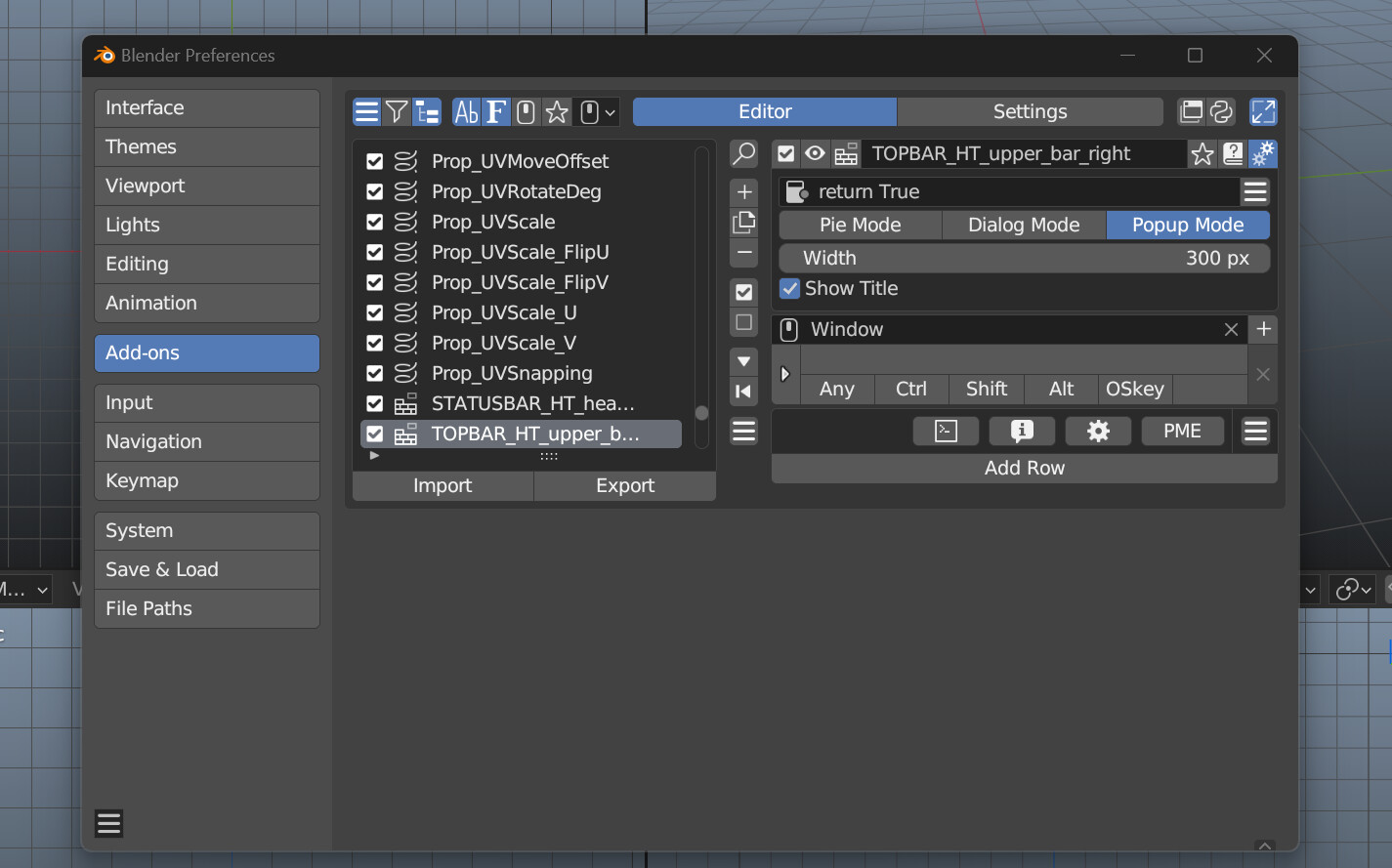 image1425×889 159 KB
Maybe everyone knows this already, but I’ve been using PME for a long time and didn’t know about it, so it might help out someone.
❤️ 4 likes