📋 Metadata
- Author: MickHanks
- Date: 2021-04-22 00:33:19
- Type:
bug_report - Reply to: post_03838
- Replies (1): post_03841
💬 Content
Same here, only the menu that’s selected in the side list show in 3d view. It’s always a crapshoot! when installing PME if it will work. see image.
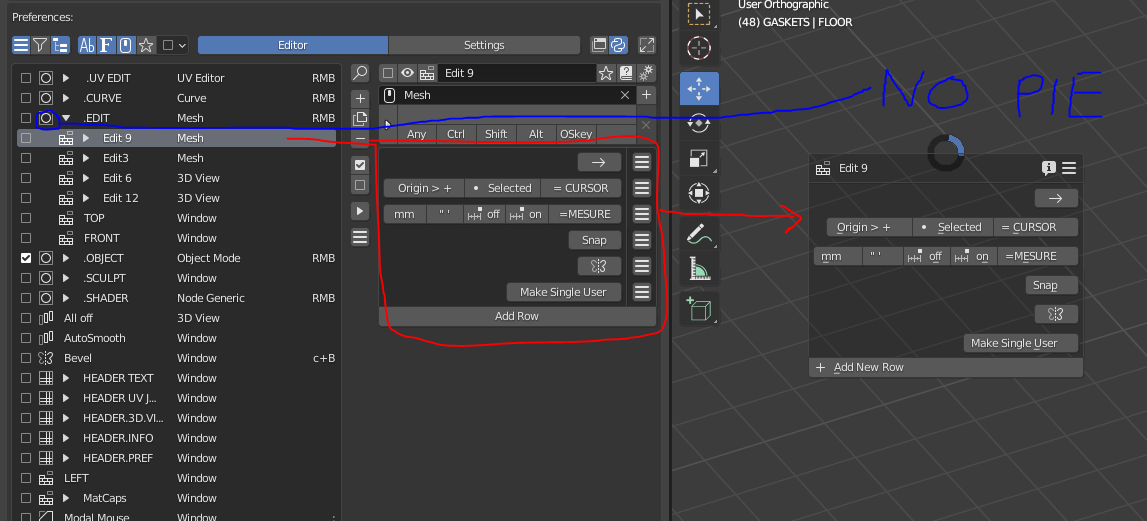 Capture1147×521 118 KB
My PME install process:
DL latest PME from gumroad
Open Blender > Prefs > Addons
Click Install > Select PME.zip
Activate PME
In PME Goto Import > Replace If exists
In PME select Settins > Hotkeys >Click on Set hotkey > RMB
Then test
In the past year, I’ve done this 10 times and the RMB assignment has only worked 2 - 3 times. Most of the time I’ve had to fool,with Keymaps, and it ain’t pretty
Opened Blender this morning reloaded the same backup and PME work now. ??? I did that 5 time yesterday with no luck. Like I said I LOVE PME and couldn’t work with out it , but I always dread a reinstall