📋 Metadata
- Author: Zunio
- Date: 2020-08-06 09:48:04
- Type:
question - Replies (1): post_03506
💬 Content
Hi
Let’s imagine that I want to change size / opacity / hardness of a painting brush only by pressing RMB (for size, RMB + Shift for opacity etc. ) and swiping to the left or right, by releasing RMB confirming the action ( especially useful and fast while using graphic tablet ).
I’ve done it by modal operator but it lacks of visualization circle of mouse movement and seams updating the parameters too rare ( in Mudbox it’s updating every pixel of movement ). Is there a way to use movement of a mouse also in top/ bottom direction?
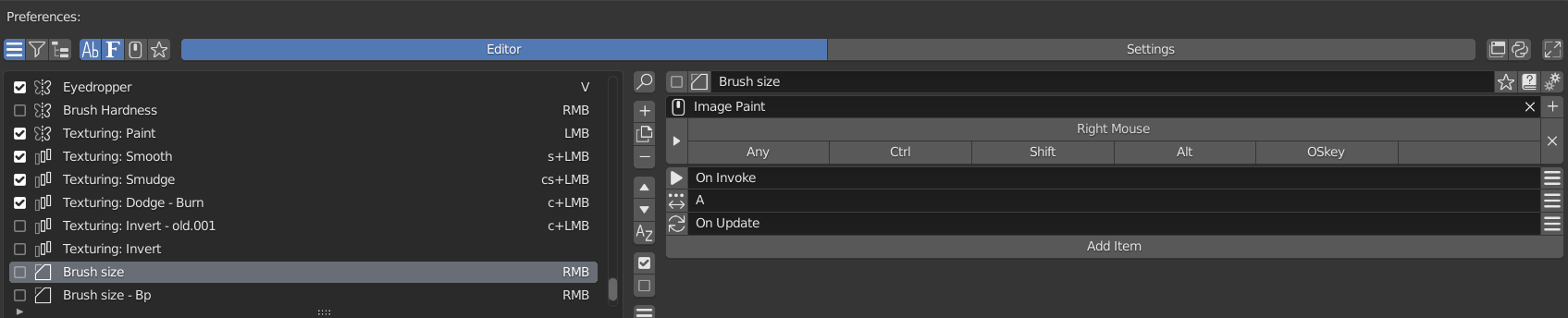 image1695×344 59.8 KB
 image1693×105 14.5 KB
 image1696×230 23.6 KB
 image1695×143 17.6 KB
So tried to achieve it in another way by regular Blender Keymap menu:
Everything looks OK but program is not remembering my modification of a parameter - he just goes back to original size of a brush after releasing RMB.
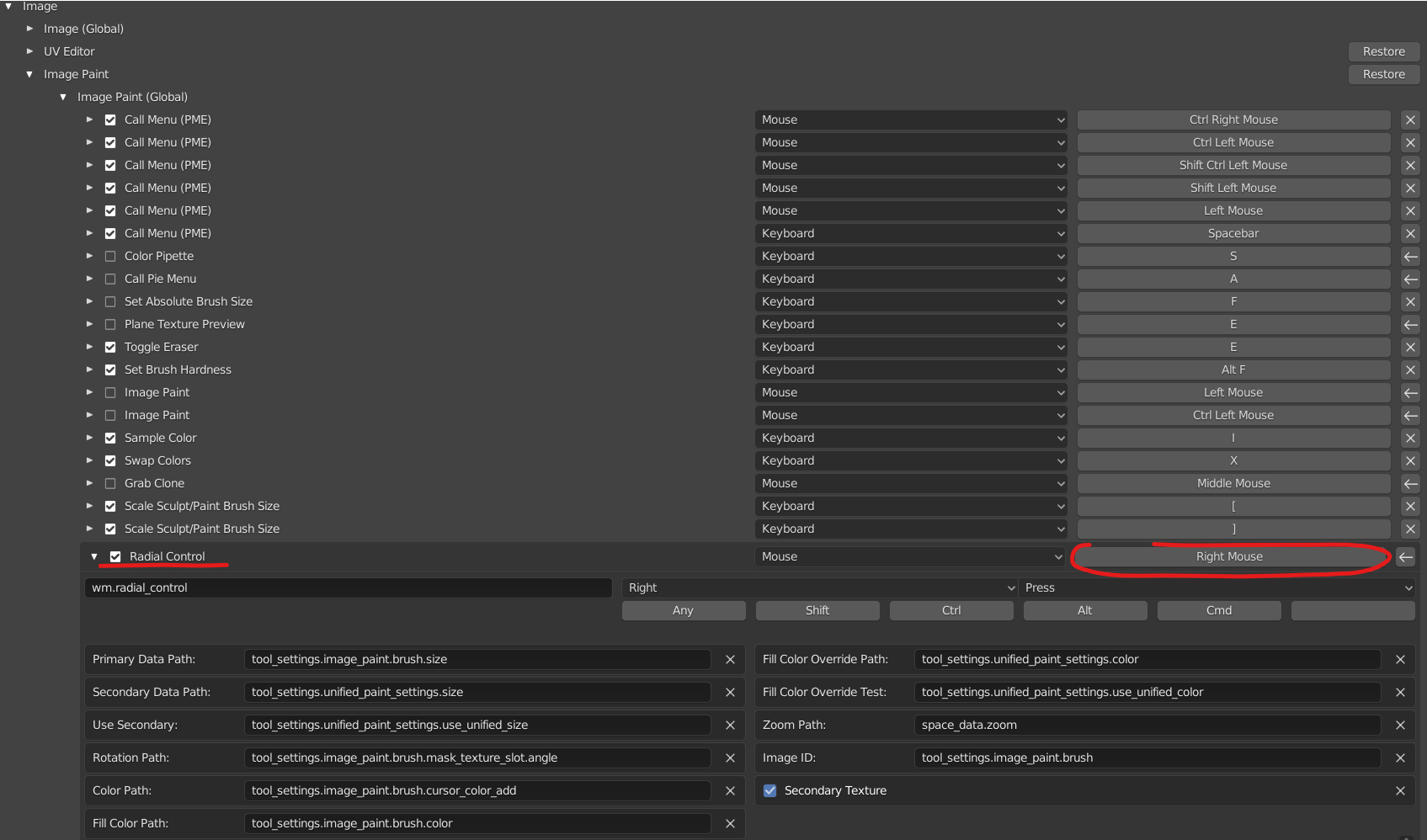 image1695×998 173 KB
Any ideas how to resolve the problem by any of these paths? 
ps. @roaoao : thanks for your previous advice - works like a charm
❤️ 1 likes