📋 Metadata
- Author: Kickflipkid687
- Date: 2020-03-15 15:28:07
- Type:
discussion - Reply to: post_03077
- Replies (1): post_03079
💬 Content
I found out how to do it with a StackKey. Not sure if that;s the best way to do it or not, but it works.
Now I need to see if I can customize the filter somehow in the settings.
 image709×181 16.2 KB
 image766×297 23.9 KB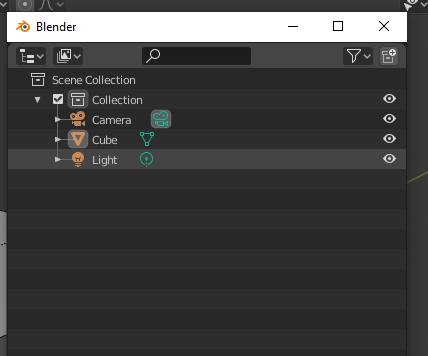
Edit: I got this from using PME Debug when turning off things in the filter… maybe I can put that into the command area…
bpy.context.space_data.use_filter_collection = False
bpy.context.space_data.use_filter_object_content = False
bpy.context.space_data.use_filter_children = False
bpy.context.space_data.use_filter_object_light = False
bpy.context.space_data.use_filter_object_camera = False
bpy.context.space_data.use_filter_object_empty = False
bpy.context.space_data.filter_text = “”
.
Edit: Maybe this is because of using stackkey, but if I popup the menu it’s fine, but then if I click outside the popup window into the main blender UI, blender then crashes…