📋 Metadata
- Author: roaoao
- Date: 2020-02-26 21:33:42
- Type:
answer - Reply to: post_03044
- Replies (2): post_03046, post_03047
💬 Content
 StroBlend:
Hi, I found this topic related to what we talked:
did you think it is possible to have this feature for better efficiency?
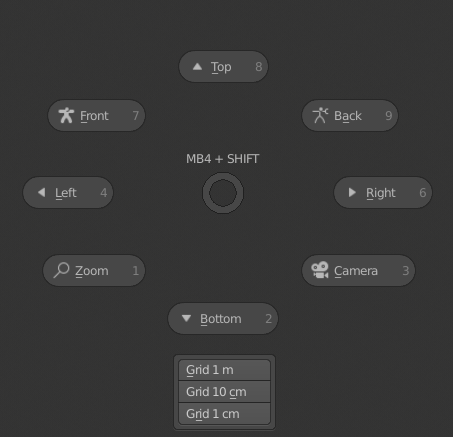
Wow, thanks for the link, @StroBlend ! I’ll definitely add an option for this in the next version.
To add a popup to a pie in the current version use this code in 8th pie slot (Custom tab):
Empty 8th slot:
popup_dialog_name = "Popup Dialog"; L.separator(); L.separator(); L.separator(); col = L.column(); gap = col.column(); gap.separator(); gap.scale_y = 5; box = col.box().column(); draw_menu(popup_dialog_name, layout=box)
8th slot with Add Cube button:
popup_dialog_name = "Popup Dialog"; operator(L, "mesh.primitive_cube_add", text=slot, icon=icon, icon_value=icon_value); L.separator(); L.separator(); col = L.column(); gap = col.column(); gap.separator(); gap.scale_y = 5; box = col.box().column(); draw_menu(popup_dialog_name, layout=box)
❤️ 5 likes