📋 Metadata
- Author: anon15708797
- Date: 2019-01-18 01:29:16
- Type:
bug_report - Reply to: post_01854
💬 Content
Wow, there’s quite a lot to this. Thanks @iceythe
I only bought this recently.
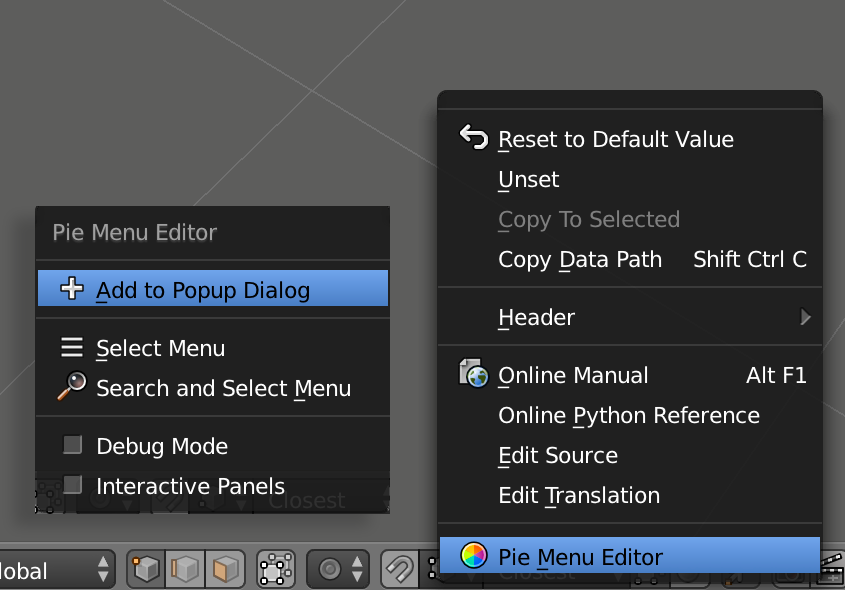 add_to_pie845×590 63.6 KB
If I add a button as a property, in most cases it adds it as a toggle-able button, except for automerge - where you have to add the icon for it to appear like a toggle-able button. (Adding a boolean value to the command didn’t make it a toggle-able option/button)
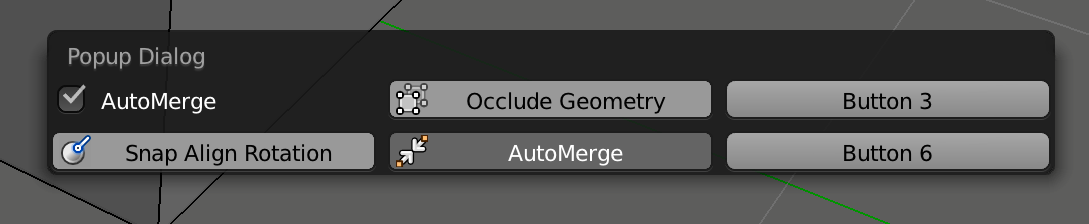 popup_wip1089×224 23.4 KB
My small popup is already working how I want it to, except it only works on the left half of my screen?
On the right side of my screen it only flashes for an instant when I press the hotkey?
Any ideas?
(Blender 2.79, macOS 10.13.6, 2017 iMac 27” Retina)