📋 Metadata
- Author: fjg3d
- Date: 2018-12-20 00:32:25
- Type:
bug_report - Replies (1): post_01767
💬 Content
Setting up a PME Dialog pop up for orientations, snapping, and proportional, etc, and ran into a few things - not sure if its PME or Blender2.8 beta stuff, but here it is.
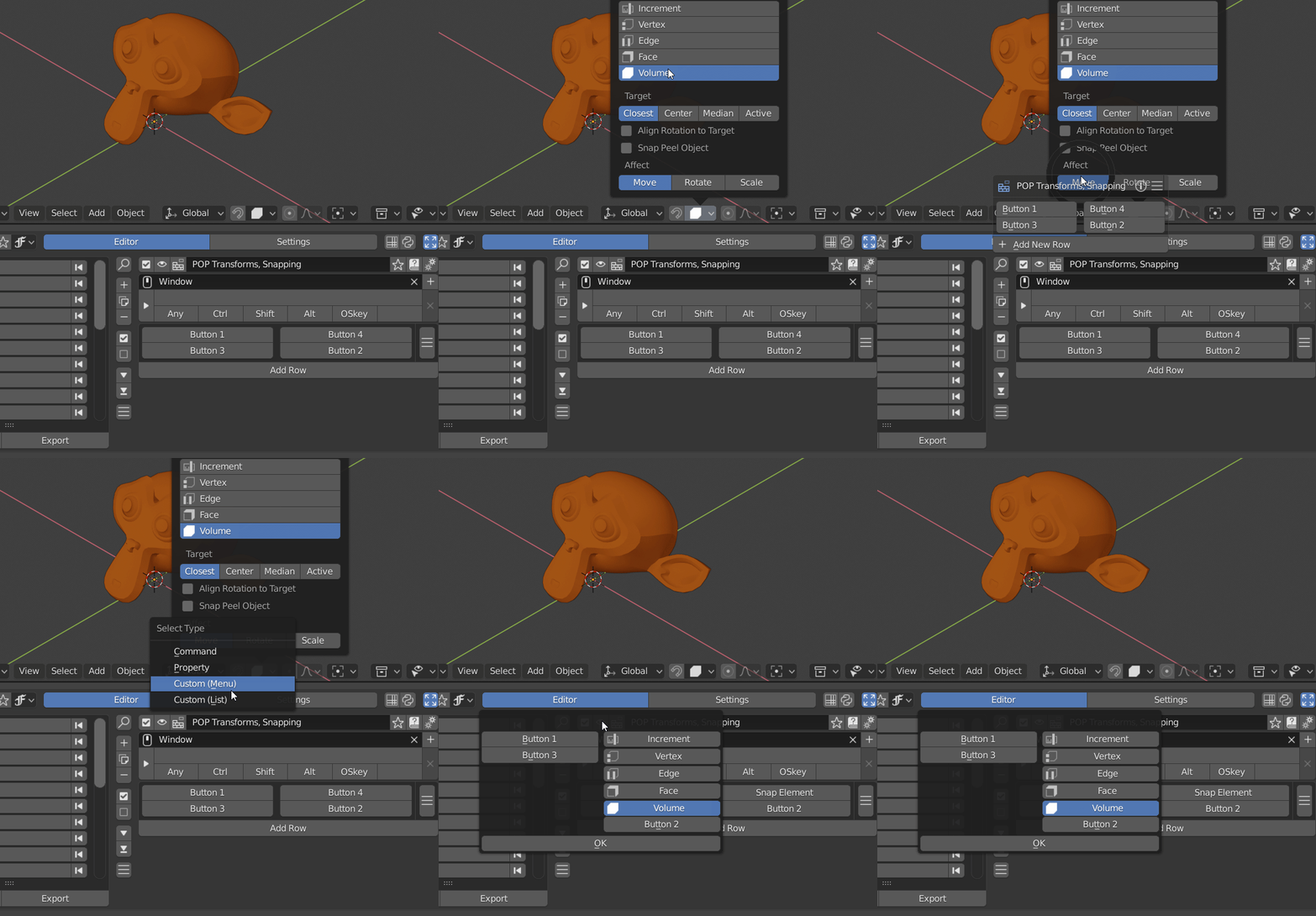
Adding the Snapping Elements to a PME dialog pop up by right-clicking on the icon in the header of a 3Dview (type set as Custom (List)), they will show up as a column of icons. Its nice to do it this way since the buttons will remain highlighted to show which is selected.
snapping as custom list:
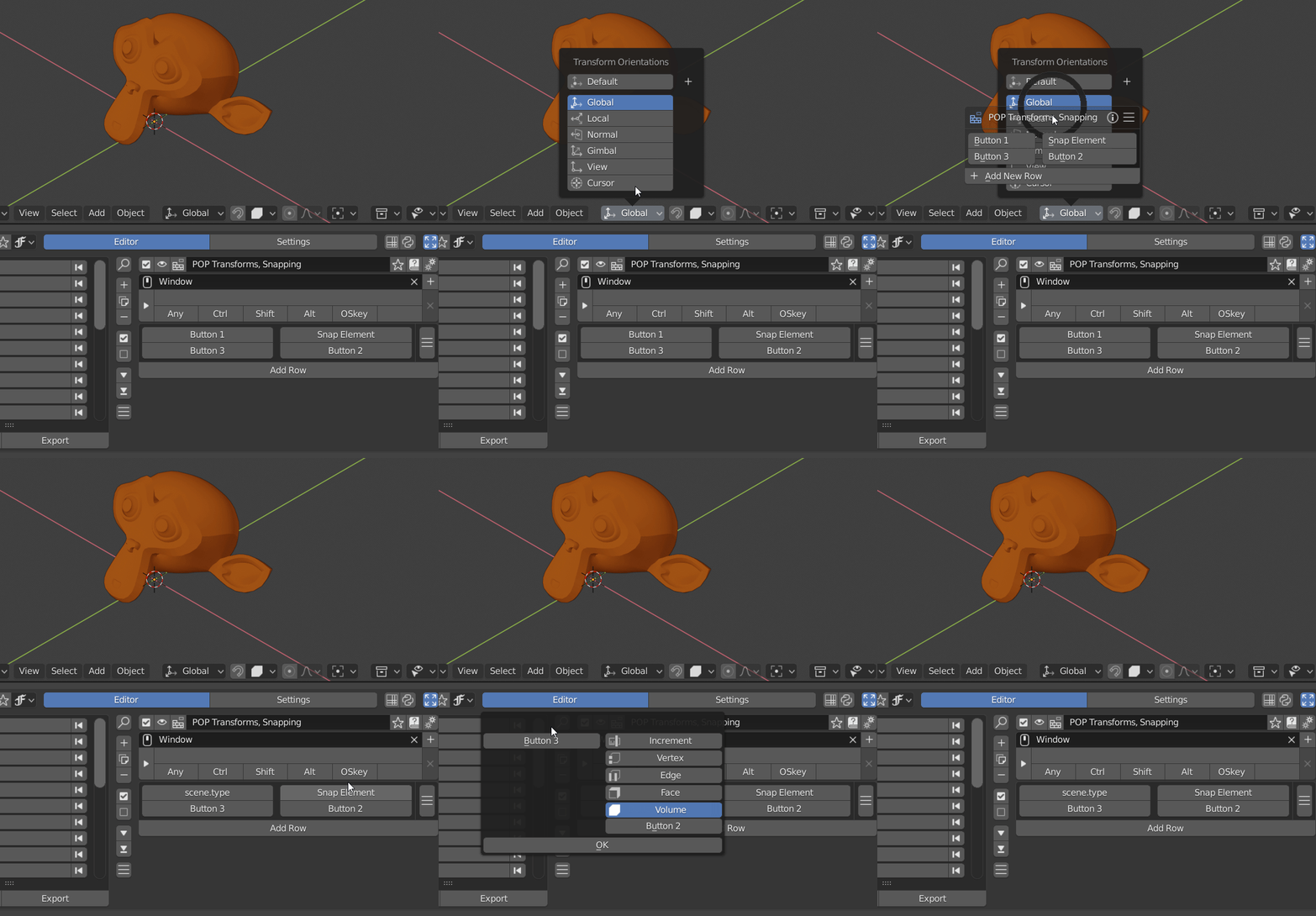
This seems to work for most things in that header area except Transform Orientations (Global, Local, Gimbal, etc). When using right-click to add Orientations, after selecting the button in my dialog pop up, it skips the part where it asks you how you want to use the operator (the ‘select type’ dialog box), leaving scene.type in the PME editor command tab. Custom created orientations (+) seem to have similar problem
transforms as custom list:
When trying to set up the Orientations as a Command (not using right-click), the button responds as if its a property with a pull down menu with all orientations, instead of a button with a single specific orientation
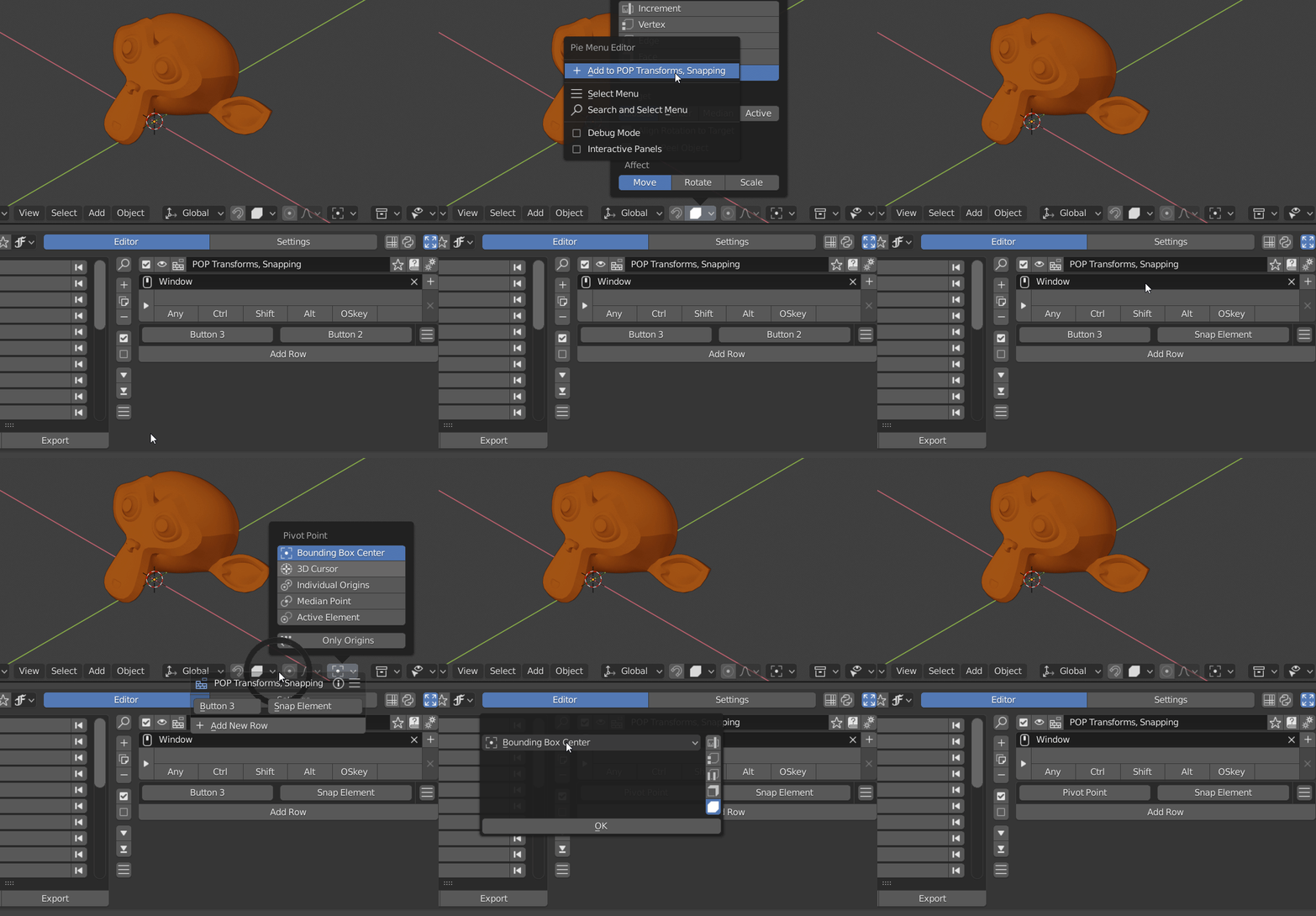
Also, setting Snapping Elements as ‘Property’ type has different results than when setting Pivot Points to ‘Property’ type. for snapping elements it makes a column list with just icons (actually kinda cool, but maybe not intended?), where as with Pivots its a drop down menu.
snapping and pivots as property