📋 Metadata
- Author: Kickflipkid687
- Date: 2018-08-26 15:11:38
- Type:
question - Reply to: post_01533
- Replies (2): post_01535, post_01536
💬 Content
Ah, thank you! Yeah, the If/Then makes more sense now! 
I was looking into the active_operator, but I’m not sure how to use that exactly… maybe I can figure it out.
Edit:
So this is super janky I feel like, but I almost got what I want, more or less. I used a Property, to setup my Z Slider for Example. Then call a Python script, passing in the Value/Bools I need. Then in the script, check if World/Local Space, and Translate Accordingly… lol. Again, seems very hacky, but works…
But the main issue now is, when I Translate in Local Space, the Spinner Value doesn’t get any Data passed back to it, so the Location/Z Value is not accurate anymore.
I can do all this in Maxscript / C# / WPF easily, but not sure in here yet.
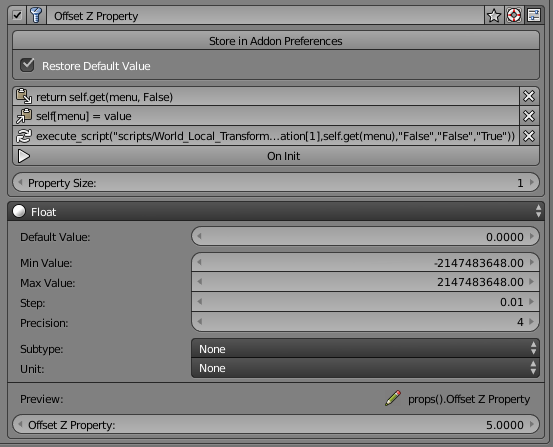
 image1009×275 8.84 KB
 image1045×539 112 KB