📋 Metadata
- Author: roaoao
- Date: 2016-09-10 17:44:57
- Type:
answer - Reply to: post_00308
- Replies (1): post_00310
💬 Content
 a_guy73:
Hi Roaoao,
I’m having difficulty in making a fully expanded dropdown list of sculpt brushes (incl custom brushes).
I have found a number of brush list commands that are almost there but not quite there like bpy.context.tool_settings.sculpt.brush but its in a small window- problem with that is I cant scroll with a tablet pen easily.Imagineers “Advanced UI Menu” does it- but his setup is too complicated for me to replicate.
Do you know of any commands that will fully display an expanded dropdown brushes list?
PS. your doing a great job of supporting your tool!
Hi, try this code in Custom tab (Pie Menu or Popup Dialog). It will display a button with brush preview:
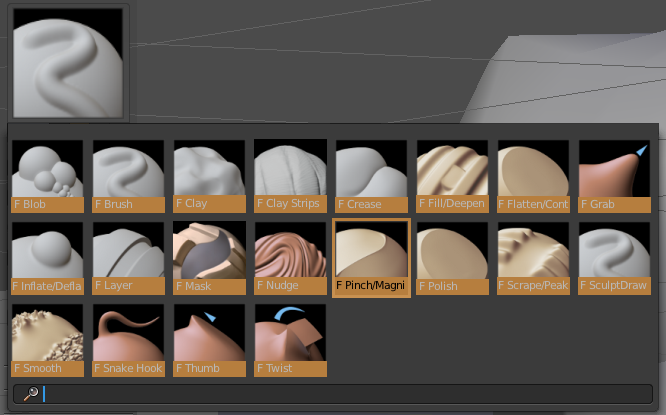
L.box().template_ID_preview(C.tool_settings.sculpt, "brush", rows=3, cols=8)