📋 Metadata
- Author: roaoao
- Date: 2016-03-06 00:19:08
- Type:
answer - Reply to: post_00044
💬 Content
 smashwall:
[QUOTE=pitiwazou;3017628]Is it possible to make conditions to show buttons ?
For example, use the same button to add and remove subsurf ?
Can you show us how that kind of menu should look ? ( screenshot with command/code )
I dont have to much knowledge about python coding and i am curious if I will can make that “conditions menu ”
[/QUOTE]
You can use conditions in Command and Custom tabs. The code in Command tab will be executed when you press default button. Custom tab allows you to add custom buttons (and other widgets like checkboxes, sliders, etc.) to your pie menu.
For example, the code for ‘Add/Remove Subsurf’ button can look like this:

Command Tab:
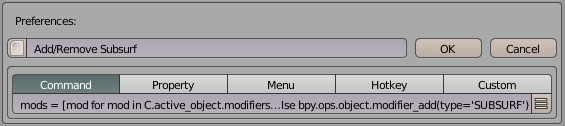
mods = [mod for mod in C.active_object.modifiers if mod.type == 'SUBSURF']; bpy.ops.object.modifier_remove(modifier=mods[0].name) if mods else bpy.ops.object.modifier_add(type='SUBSURF')
Custom Tab:
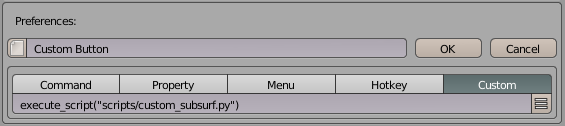
execute_script("scripts/custom_subsurf.py")
Save this code as custom_subsurf.py in pie_menu_editor/scripts folder:
mods = [mod for mod in C.active_object.modifiers if mod.type == 'SUBSURF']
if mods:
    L.operator("object.modifier_remove", "Remove Subsurf").modifier = mods[0].name
else:
    L.operator("object.modifier_add", "Add Subsurf").type = 'SUBSURF'
❤️ 1 likes